
The Anchor Relay Workflow for AI Style Transformation Video
Build an AI style transformation video with the Anchor Relay workflow: pass one composition through subject variations, motion, a terminal frame, and styles.
Anchor Relay Style Chain — Final Edited Showcase
Final edited showcase · 13 sec · Edited showcase with background music. The article separates generation decisions from post-production pacing.
- 0:00One salon composition anchors the subject run
- 0:04A restrained prism action becomes the motion bridge
- 0:07The terminal frame becomes the next reference anchor
- 0:09Independent whole-frame styles share that same parent
This video was not generated as one continuous video. We made a still image, used it to generate several replacement subjects, animated the last subject for five seconds, extracted one frame from that motion, and then produced twelve independent style variations from the extracted frame. The rapid final sequence came from assembling those assets later.
The generation path looked like this:
Master composition image
        ↓
Independent subject variations
        ↓
Selected final subject
        ↓
Five-second motion clip
        ↓
Selected terminal frame
        ↓
Independent whole-frame style variations
We call the method Anchor Relay because each stage receives a confirmed image instead of reconstructing the whole history from a long prompt. This article covers those generation handoffs. It does not treat the final editing rhythm as model output.
The video was assembled from several generation stages
A single request to show eight people, animate the last person, and move through twelve art styles gives a video model too many freedoms at once. Subject identity, composition, action, timing, and image medium can all drift together. A beautiful result may still change slowly or treat the style sequence as a filter.
If the composition is still open, you can generate a video directly from a prompt to explore a direction. Once subject identity, framing, and handoffs matter, the reference-first relay below is the safer workflow.
We separated the freedoms. Subject generation could replace the person while the room and pose stayed fixed. The motion clip could move the hand and prism while the identity and camera stayed fixed. Style generation could rebuild the image medium while using the same terminal frame for composition.
This separation made failures local. A failed style did not require another motion generation, and the successful sibling styles remained usable.
Stage 1: make one composition worth preserving
The master image had to carry more than a face. It established the seated scale, eye-level camera, raised right hand, curved table, symmetrical room, paired wall lights, and negative space around the head and prism.
Our subject was a Mediterranean man wearing a burgundy velvet jacket and white turtleneck. He held one clear crystal prism beside his face, with his left hand resting on the marble table.
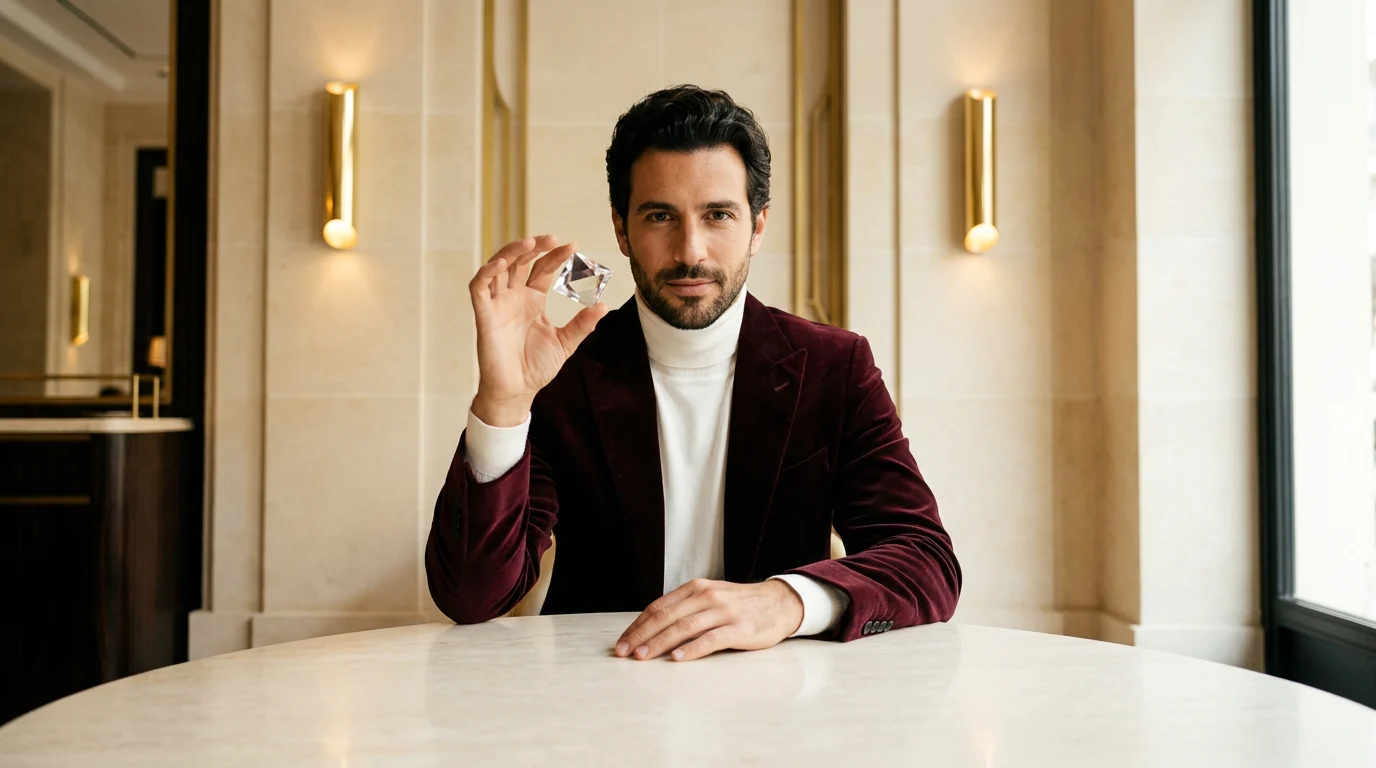
The prism was especially useful because it remained a small, high-contrast landmark through the subject edits, motion, and style changes. If it moved or duplicated, we could see the drift immediately.
Before generating replacements, we checked the camera crop, table curve, wall geometry, hand positions, prism count, subject scale, and lighting direction. We described the room and pose as carefully as the first person because the person was the one element we intended to replace.
Stage 2: return every subject edit to the same image
We generated a knight, couture woman, samurai, astronaut, alien, wolf, elderly artist, and final human from the master image.
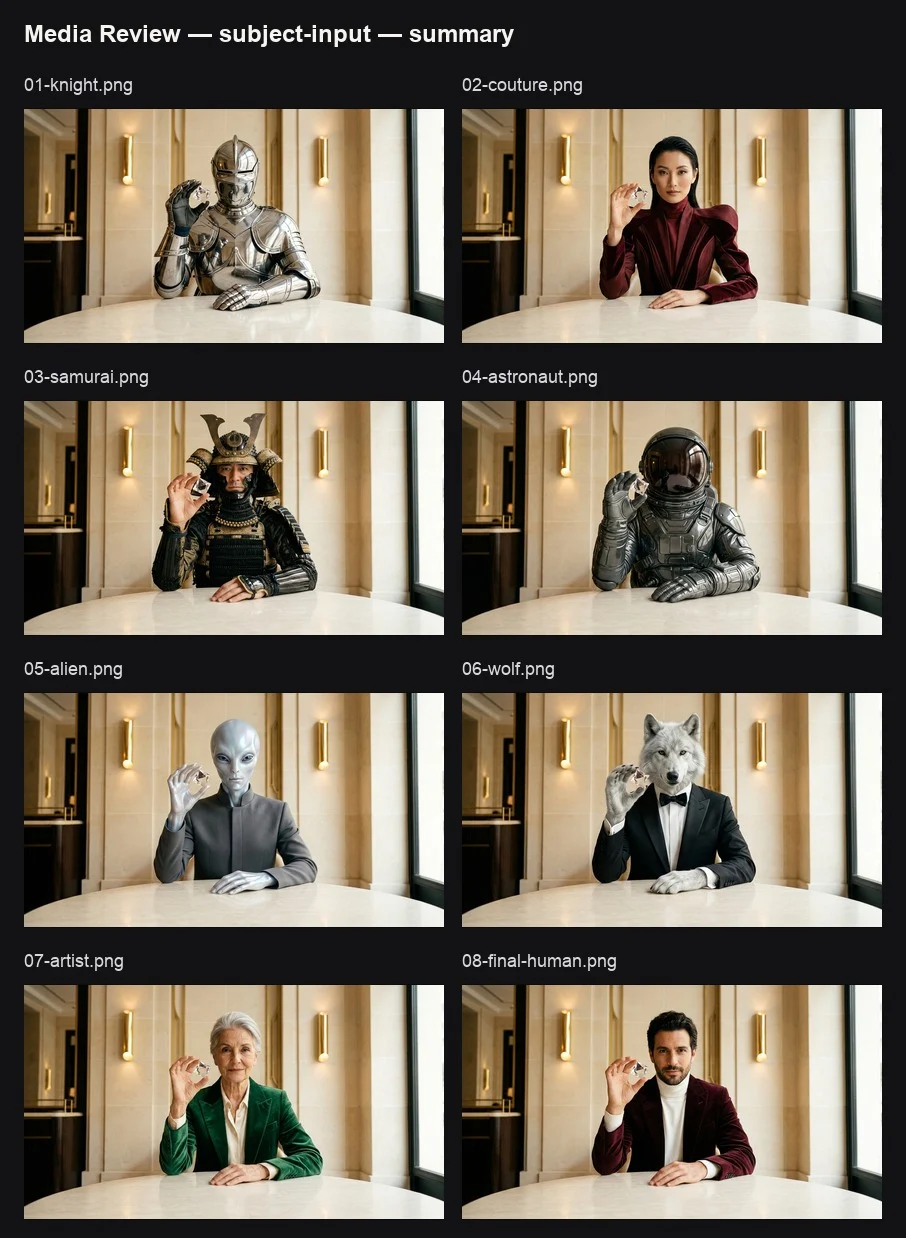
The subject-edit pattern was:
Replace only the seated subject with [new subject]. Preserve the exact camera position, 16:9 crop, subject scale, raised right-hand pose, clear crystal prism beside the face, left hand resting on the marble table, table perspective, Art Deco salon architecture, paired wall lights, and lighting direction. The new subject must naturally wear or embody [subject-specific design] while holding the same prism in the same position. No text, logo, extra person, duplicate prism, added fingers, moved furniture, camera shift, or background redesign.
Each variation returned to the master image. We did not generate the samurai from the knight or the astronaut from the samurai. A sequential chain would have carried every small error forward: a shifted prism in one image could become the accepted position in all later images.
This also avoided making failed anatomy the parent of another subject. "Preserve the pose" could not mean matching human joints literally when the replacement was a wolf. The useful target was the graphic pose: face centered, one raised forelimb holding the prism, one supporting forelimb on the table. An anthropomorphic wolf could fit it. A realistic quadruped could not.
Stage 3: keep the bridge motion small
The final human image became the first frame of a five-second Seedance 2.0 generation. The camera stayed locked while the man moved the prism toward his right eye.
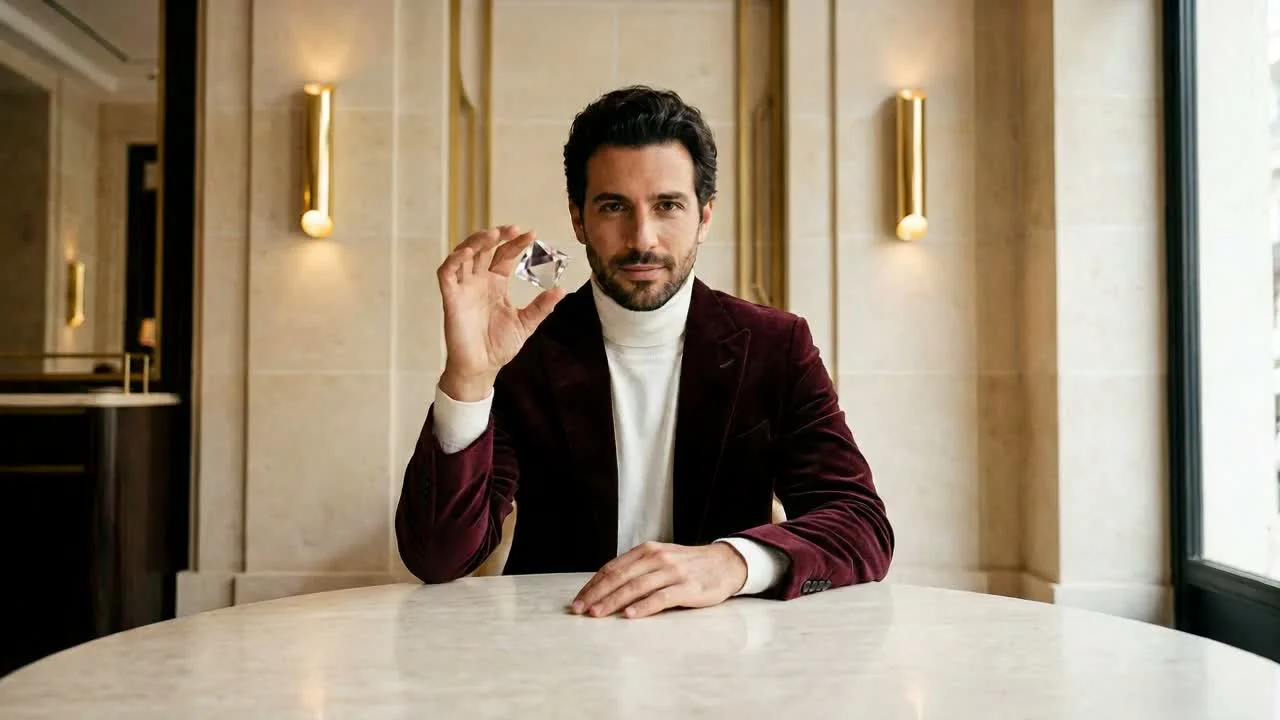
The motion prompt was:
Use the supplied image as the exact first frame and strict identity, wardrobe, prop, room, and camera reference. In one continuous locked-camera shot, the seated man slowly raises and guides the clear crystal prism from beside his face toward his right eye, studying the refracted light with a calm, focused expression. Preserve his recognizable face and hair, burgundy velvet jacket, white turtleneck, seated posture, left hand on the marble table, finger anatomy, prism geometry, table perspective, wall panels, paired lights, and warm lighting. Only the right hand, wrist, eyes, and subtle breathing should move. No camera movement, cuts, morphing, extra fingers, duplicate prism, wardrobe change, background change, text, or logo.
A larger action would have made the next image harder to reuse. If the subject had stood up, turned away, or crossed the frame, the style sequence would no longer share the stable composition established at the beginning. We chose the bridge motion partly for its ending, not only for how it looked as a clip.
Stage 4: select the useful terminal frame
The last encoded frame was not automatically the best reference. AI clips can fade, deform, or settle after the useful action has already finished.
We scrubbed backward and selected a frame near 3.2 seconds. The prism had reached the right eye, while the face, fingers, jacket, table, and room were still readable.
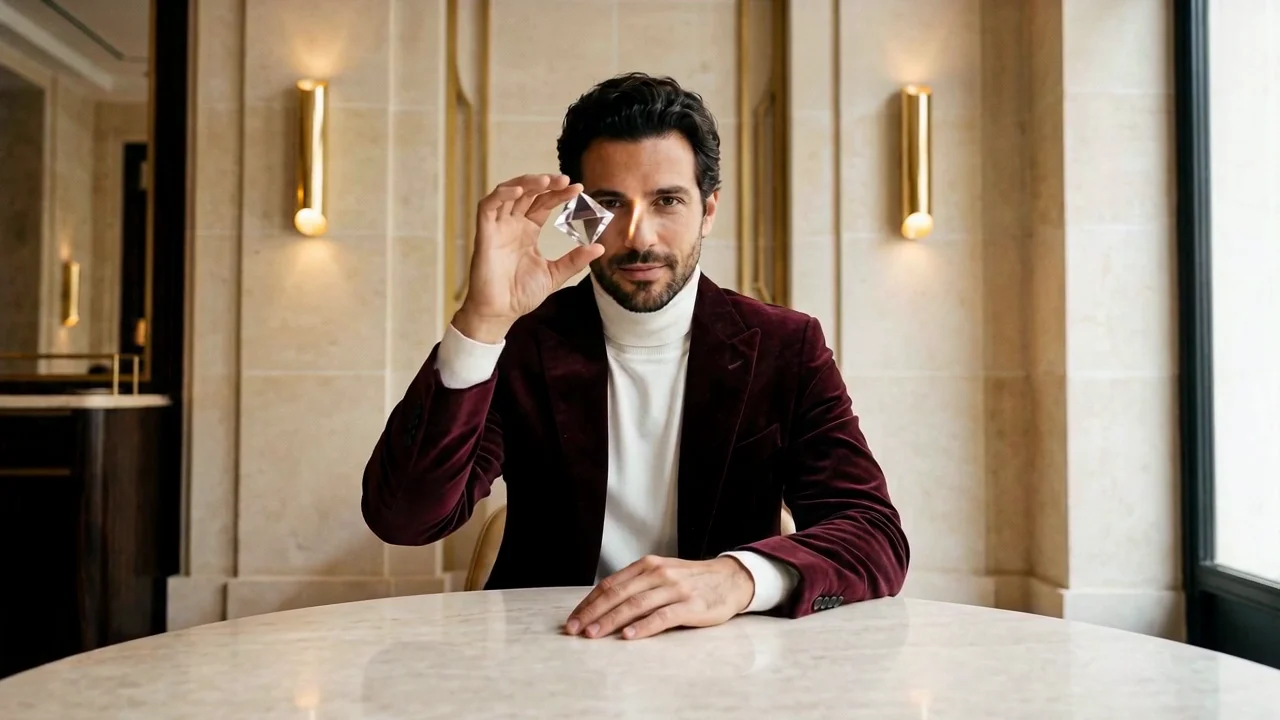
The selected frame had to show a completed action without relying on the frame before it. We also checked the face, hand anatomy, prism position, composition, and motion blur. A later frame would have been newer, but not necessarily safer for image generation.
Stage 5: rebuild the whole frame in each medium
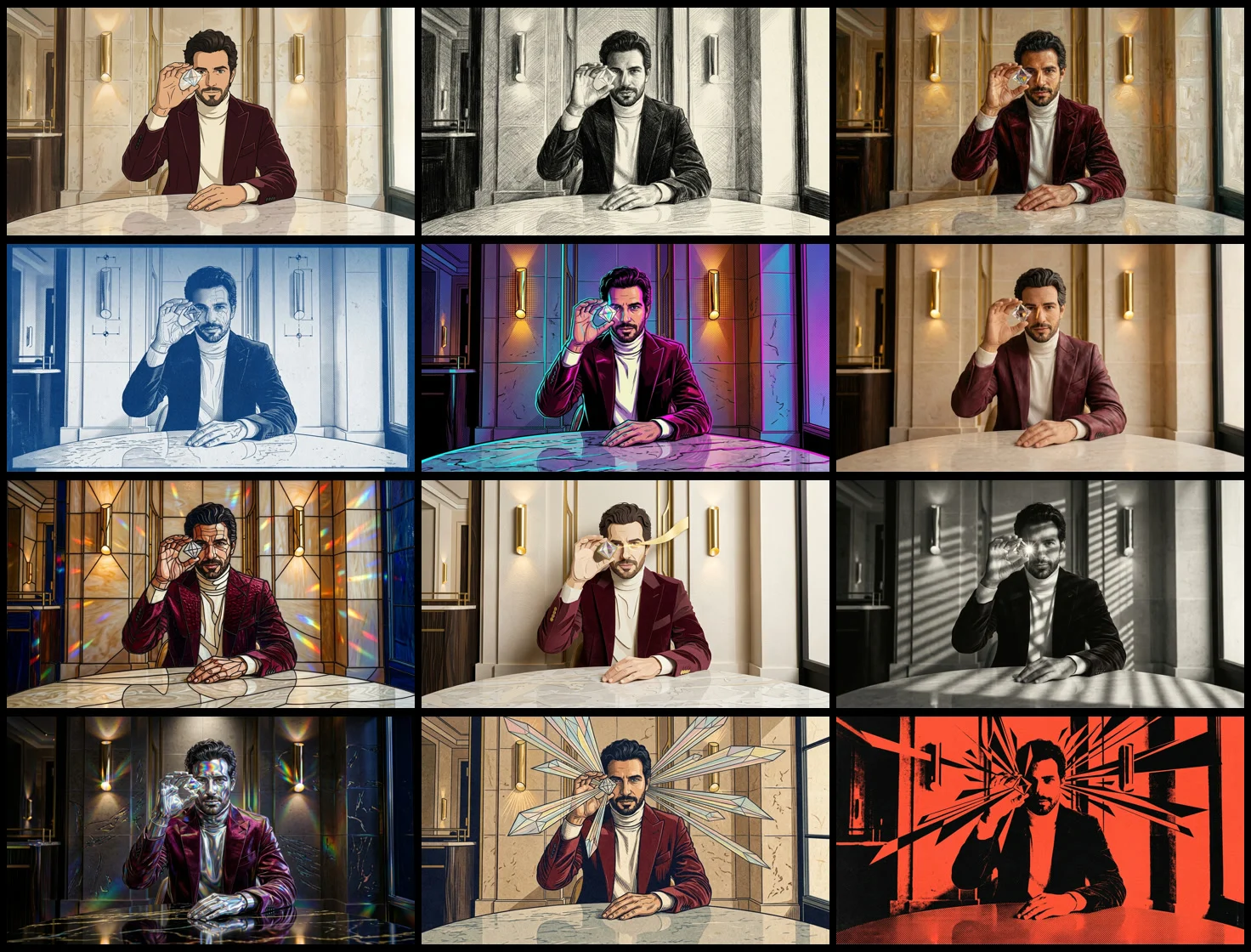
We used the selected frame as the single reference for twelve independent transformations:
- Japanese cel animation;
- charcoal and graphite;
- Renaissance oil painting;
- cyanotype blueprint;
- neon synthwave comic;
- claymation;
- stained glass;
- layered paper cut;
- silver-gelatin noir photography;
- holographic chrome;
- ukiyo-e woodblock;
- brutalist screenprint.
The shared instruction was:
Transform the entire supplied frame into [target medium]. Preserve the exact same man, recognizable face and hair, burgundy jacket silhouette, raised right hand, clear crystal prism aligned beside the right eye, left hand on the marble table, subject scale, camera crop, table perspective, salon architecture, and light positions. Change the complete image-making medium and overall visual style, not the pose or composition. Produce a premium, cohesive, full-frame artwork. No text, logo, extra person, added fingers, duplicate prism, camera shift, or geometry drift.
"Entire supplied frame" prevented the model from restyling only the face and jacket while leaving a photographic room behind. The wall, lights, table, shadows, skin, fabric, and prism all needed to belong to the same medium.

We chose media that handle edges, color, volume, and texture differently. Charcoal, oil, and ukiyo-e change line and surface. Cyanotype and noir change the photographic response. Clay, stained glass, and paper cut rebuild the image as physical construction. Screenprint and cel animation simplify edges and color separation. Holographic chrome and synthwave rely on synthetic reflection and emission.
That range made the variations readable during short appearances. A list of near-synonyms such as cinematic, editorial, luxurious, and dramatic would have produced less visible separation.
Review each handoff before generating the next asset
We paused at four points. After the subject edits, we rejected images with a changed crop, table, room, prism position, or subject scale. Before animating, we chose the final subject with the cleanest identity, wardrobe, fingers, and prop. Before style generation, we selected a terminal frame with low blur and a completed action. Every style then returned to that same frame.
This review prevented one attractive failure from becoming the source for a larger branch. The material experiment uses a related idea inside one generation: each state needs a visible property it can inherit from the previous state. You can see that constraint in the painting transformation test.
The review does not guarantee perfect continuity. A style can still change face geometry or fingers. It limits how far that error can travel.
Cost and regeneration behavior
The production used one master image, seven additional subject variants plus the retained human anchor, one five-second motion generation, one extracted terminal frame, and twelve style transformations.
The image stages produced 20 confirmed Nano Banana 2 image tasks. Each successful 1K image task consumed five image credits at the provider rate used in this experiment. The motion stage used one Seedance 2.0 generation.
This asset count is high, but a failed sibling is cheap to isolate. Regenerating one style does not invalidate the master image, subject set, motion source, terminal frame, or the other styles. Provider pricing and reference support can change the economics, so compare the available image-to-video generators before committing to a large relay.
When this workflow fits
Anchor Relay works when a short visual needs controlled variation around one composition. Examples include several characters in the same campaign frame, product material studies, costume variants followed by one motion reveal, and style families that need direct comparison.
It is a poor fit for long acting performances, dialogue, complex camera choreography, or physical cause and effect that must remain continuous for many seconds. Those jobs benefit from a storyboard and separately designed video shots.
To try a smaller version, begin with one image in Motiofy. Create three independent subject variations from it, animate the strongest subject with one restrained action, select the clearest completed frame, and make three style variations from that same frame. Keep the source assets separate until you know which handoffs actually held.